Creator analytics, right on the page
A cross‑platform creator analytics toolkit. Overlay real‑time engagement, surface performance trends, download watermark‑free content, and export comment data — without leaving TikTok, Instagram, or YouTube.
Free to install · No sign‑up required · Works in your browser
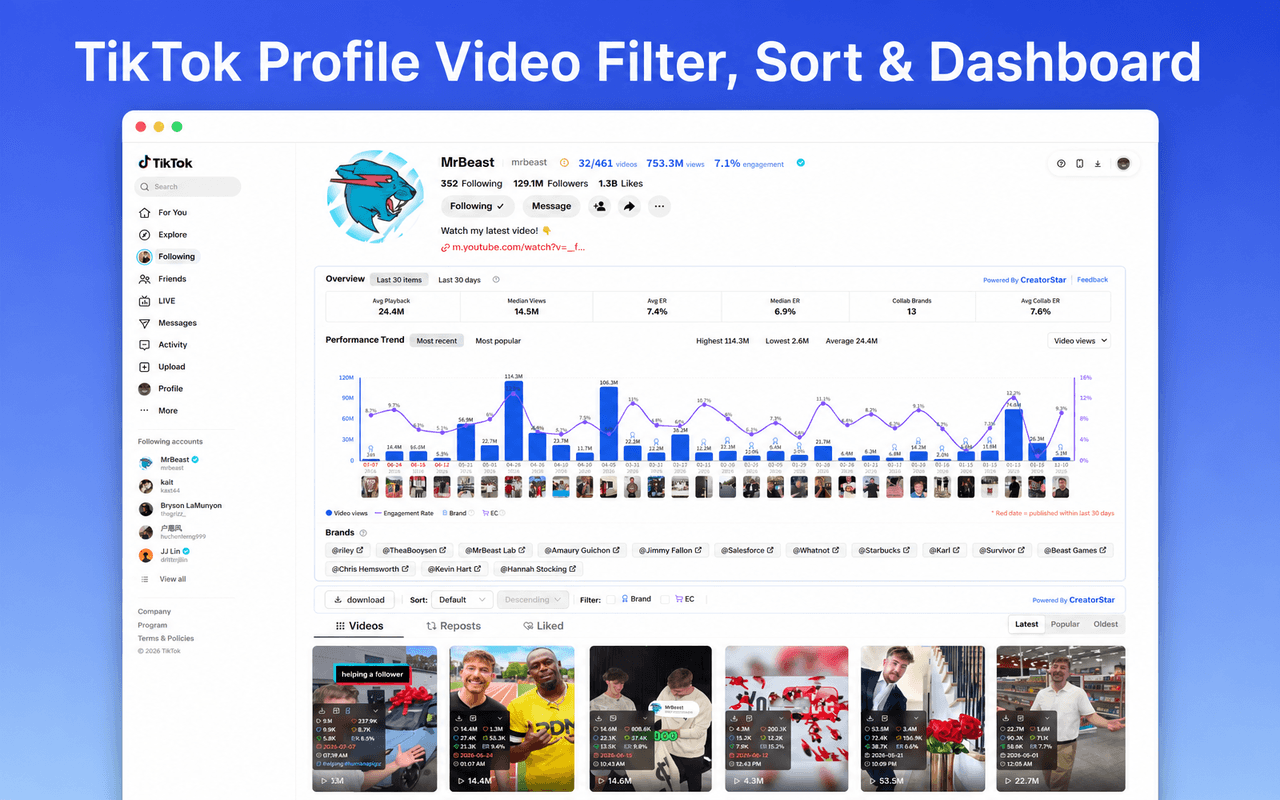
Everything the extension does, in your browser
From a quick overlay to full creator research — the CreatorStar sidebar turns every TikTok, Instagram and YouTube page into an analytics workspace.
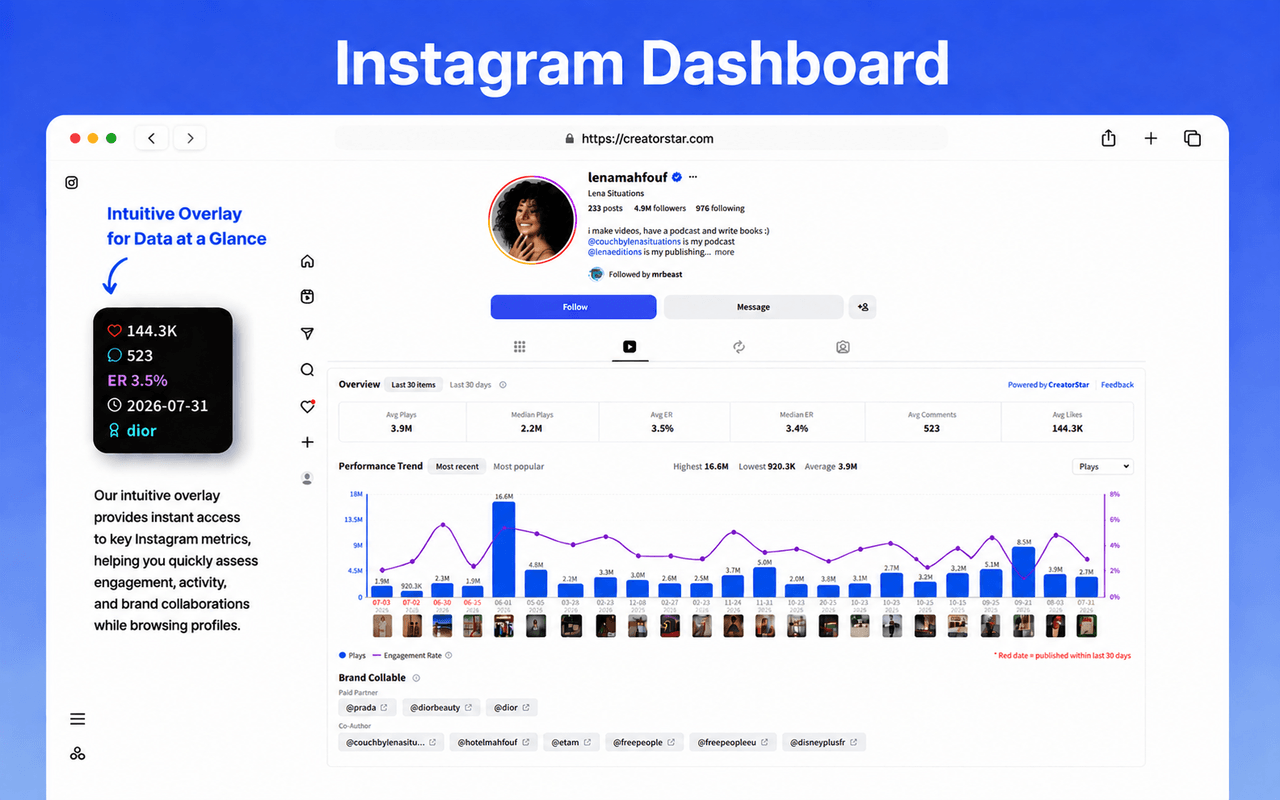
Engagement at a glance, on every post
- Real‑time plays, likes, comments, shares, favorites & engagement rate on every video and post
- Automatic overview of average & median views, likes, comments and ER
- Brand‑collab summary — paid partners and co‑authors, auto‑aggregated
See exactly what's working
- Interactive bar chart per piece of content — switch between views, likes or comments
- Sort by latest or most popular; see highest, lowest & average at a glance
- Filter and sort any creator's videos by date and engagement metrics
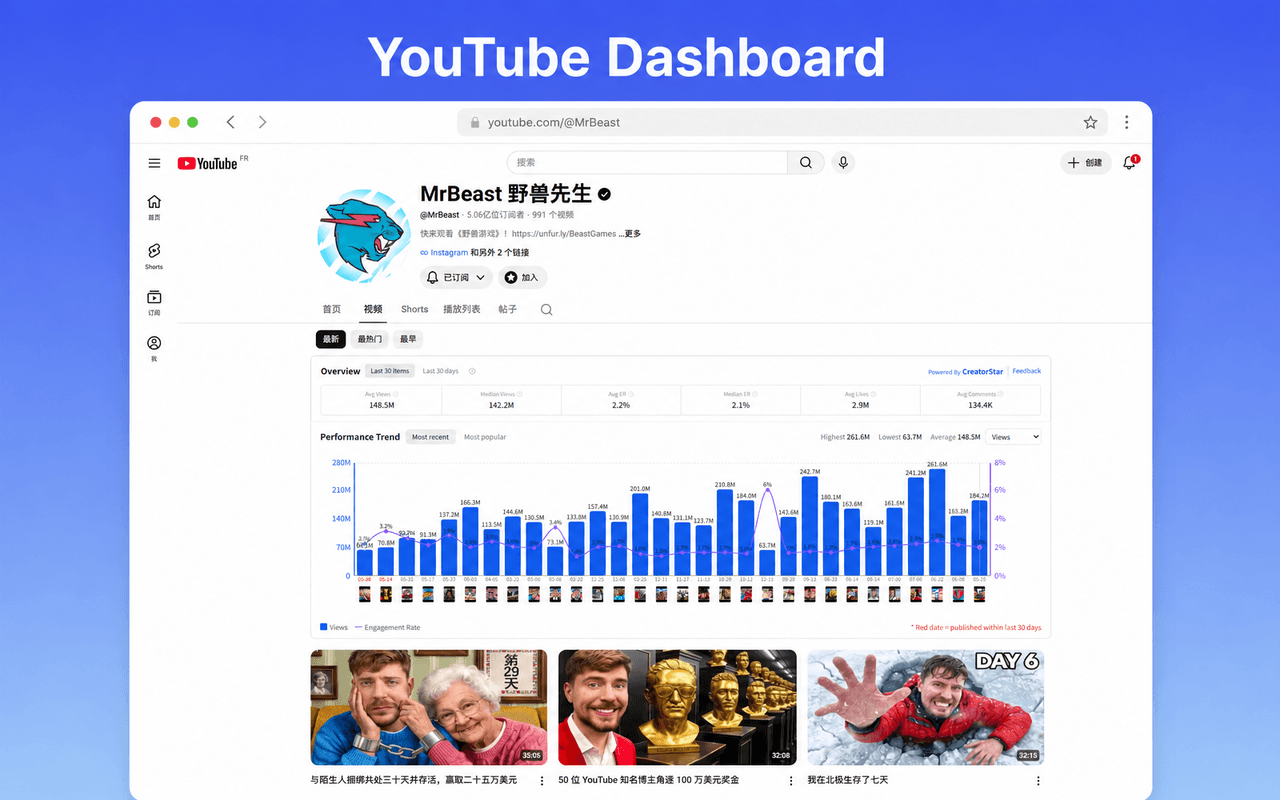
One dashboard for TikTok, Instagram & YouTube
- Automatic metric overview on TikTok profiles, Instagram profiles and YouTube channels
- Toggle between “last 30 items” and “last 30 days” to scope your view
- Engagement‑rate analysis with transparent calculation formulas
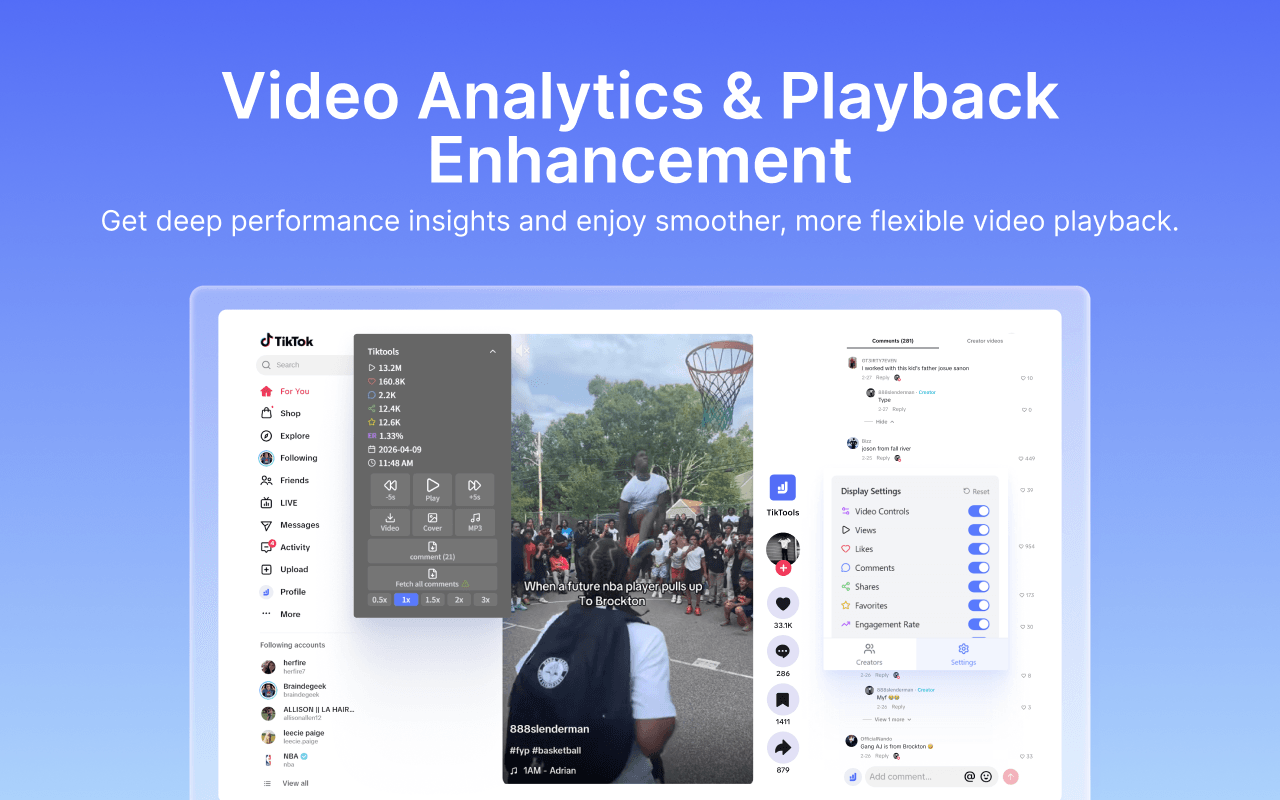
Deep‑dive any video, your way
- Per‑video stats plus playback speed (0.5×–3×) and arrow‑key feed navigation
- Scrape every comment from any video in real time, with a progress indicator
- Display settings — choose exactly which stat fields the overlay shows
Research at scale, export in one click
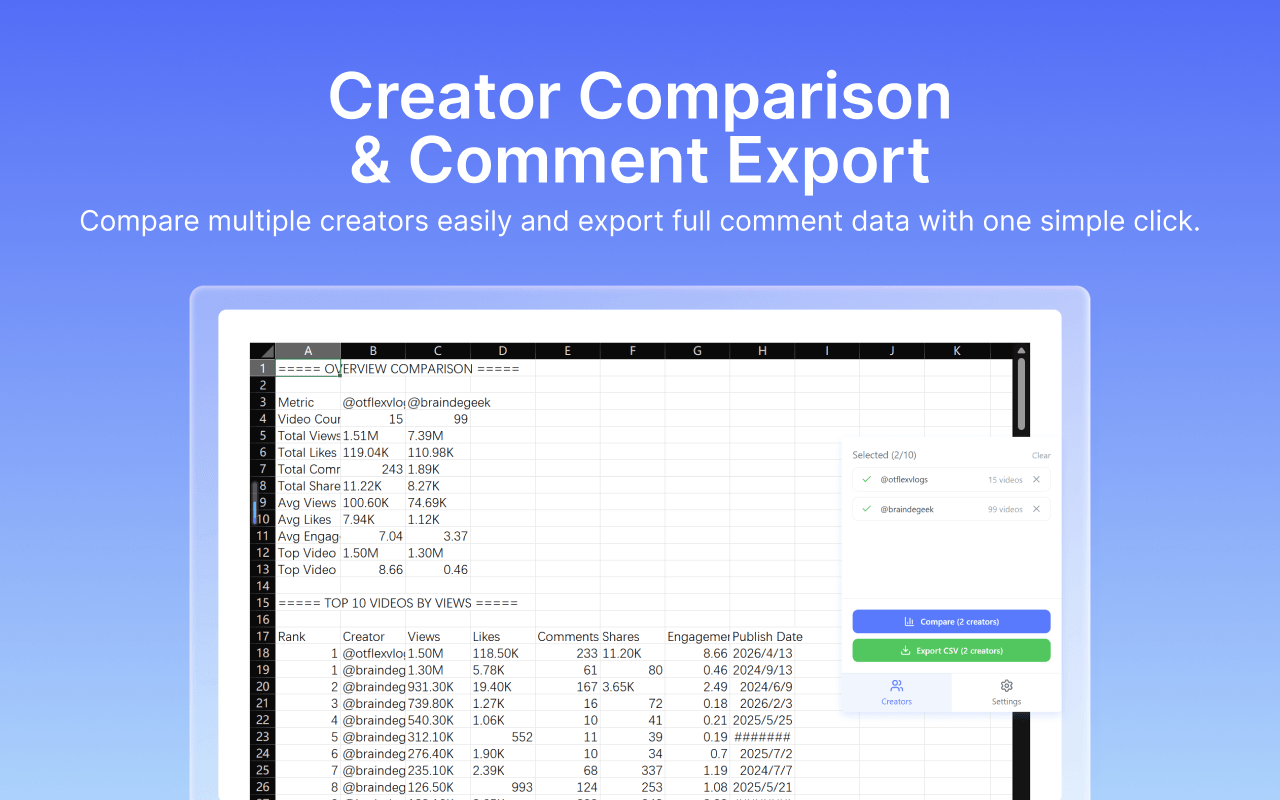
- Compare up to 10 creators side‑by‑side — views, likes, comments, ER and top videos
- Export comment data to CSV for audience and sentiment analysis
- Watermark‑free downloads: videos, photo carousels, covers and MP3 audio
And plenty more built in
The little touches that add up across a full day of creator research.
Brand & e‑commerce tags
Suspected brands and shoppable videos auto‑tagged as you scroll TikTok.
Search result sorting
Sort TikTok search results by plays, likes, comments, shares or engagement rate.
Batch download queue
Queue watermark‑free downloads with real‑time progress — set it and walk away.
Comment scraper
Collect every comment from any video in real time for moderation and research.
Profile subtitle stats
Video count, total views and average engagement shown right beside the username.
Keyboard feed control
Arrow‑key navigation across the For You feed with enhanced playback controls.
Questions, answered
Everything you need to know before you add CreatorStar to Chrome.
What does the CreatorStar extension do?
It's a cross‑platform creator analytics toolkit. As you browse TikTok, Instagram and YouTube, it overlays real‑time engagement stats, builds creator analytics dashboards, surfaces performance trends, lets you filter and sort content, download watermark‑free media, export comments to CSV, and compare creators — without leaving the page.
Which platforms and pages are supported?
TikTok (For You feed, Search, Explore, creator profiles and video detail pages), Instagram (creator profiles — Posts and Reels), and YouTube (the channel “Videos” tab).
Is it free?
Yes — it's free to install from the Chrome Web Store and no sign‑up is required to start. Sign in with your CreatorStar account (one click, via Google) to sync your data.
Can I download videos without watermarks?
Yes. Download watermark‑free TikTok videos, photo carousels and covers, extract audio as MP3, and queue multiple downloads with a batch modal that shows real‑time progress.
Can I export data?
Yes. Export comment data to CSV for audience research and sentiment analysis, and compare up to 10 creators side‑by‑side across views, likes, comments, shares and engagement.
How are engagement metrics calculated?
Every metric uses a transparent, stated formula, and you can toggle the scope between “last 30 items” and “last 30 days” so you always know exactly what the number represents.
Is my data private?
Privacy‑first by design. The extension handles website content and user activity only to power its features — your data is not sold to third parties.
Add CreatorStar to Chrome, today.
Bring creator analytics, watermark‑free downloads and one‑click CSV exports to every TikTok, Instagram and YouTube page you open.
Works on TikTok · Instagram · YouTube